How to Identify Plant Diseases from Leaf Pictures
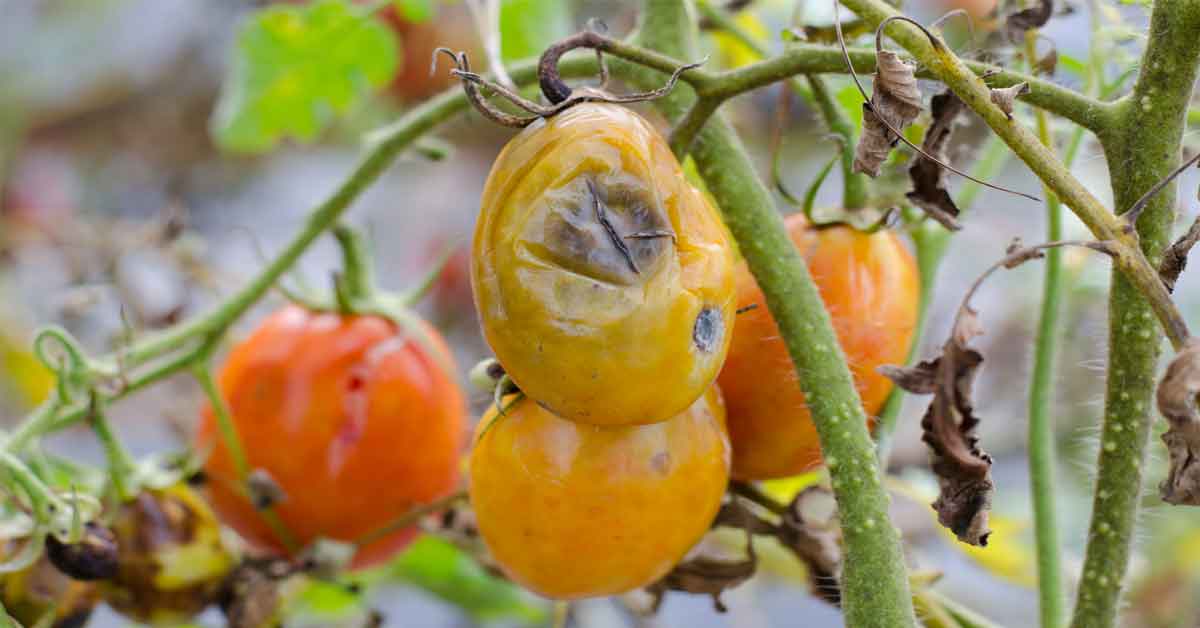
Why Early Crop Disease Identification Matters
Spotting plant health problems early gives farmers time to protect yield before an infection spreads across an entire field. In many vegetables, orchards, and grain crops, leaves show the first visible warning signs of fungal, bacterial, or viral stress. Learning how to identify plant diseases from leaf pictures helps growers document symptoms accurately and combine visual scouting with digital crop disease identification tools.
According to FAO plant production and protection resources, sustainable plant health management depends on timely monitoring, accurate symptom recognition, and integrated prevention rather than reactive chemical spraying alone. When farmers can recognize early leaf lesions, discoloration, or wilting patterns, they can isolate affected plants sooner and consult local specialists with clear photographic evidence.
Digital platforms also make agricultural knowledge easier to reach when problems arise mid-season. Well-structured educational pages and clear search visibility practices—such as those highlighted by SEOnaLabs search optimization insights—help growers locate practical plant-health guides and plant disease detection online tools without sorting through confusing advice.
Common Leaf Symptoms to Inspect in the Field
Before taking a picture or using an automated crop disease prediction tool, spend a minute inspecting the plant carefully. Look at both upper and lower leaf surfaces, compare young shoots with older lower leaves, and note whether symptoms appear on one isolated plant or across a wider patch of the field.
Spots, Blights, and Target-Like Lesions
Circular brown or black spots, concentric rings, water-soaked margins, or rapidly expanding dead patches often indicate fungal or bacterial leaf spot and blight diseases. Check whether lesions have yellow halos around dark centers, as those borders help distinguish different infections on crops such as tomato, potato, apple, and maize.
Powdery Coatings, Rust Pustules, and Mold
White flour-like patches on the upper leaf surface often point to powdery mildew, while orange, brown, or reddish raised bumps suggest rust infections. Fuzzy gray or olive growth on the underside of leaves after humid nights can indicate leaf mold or downy mildew.
Yellowing, Curling, and Mosaic Patterns
Mottled light-and-dark green patterns, distorted leaf edges, or upward leaf curling can be linked to viral infections, sap-sucking insects such as whiteflies and mites, or abiotic nutrient and water stress. Because several non-infectious issues mimic disease symptoms, visual checks should always consider recent weather and soil conditions.
Step-by-Step: How to Photograph Leaves for AI Crop Disease Detection
Image-based AI crop disease detection models analyze color, texture, and lesion patterns directly from the uploaded photograph. Blurry lighting, shadows, or cluttered soil backgrounds can confuse the classifier and lower confidence. Follow these practical steps before uploading a photo to HelpForFarmer's crop disease prediction assistant:
- Step 1 — Pick a representative leaf: Choose a leaf that clearly shows active symptoms rather than one that is completely dried out or shredded.
- Step 2 — Use natural, even daylight: Photograph the leaf outdoors in bright, indirect daylight so harsh flash glare or deep shadows do not distort leaf colors.
- Step 3 — Simplify the background: Hold a plain neutral surface (such as white paper, cloth, or clean cardboard) behind the leaf, or frame the leaf closely so soil and neighboring weeds do not dominate the frame.
- Step 4 — Keep the camera steady and in focus: Tap to focus directly on the diseased spot so lesion borders and textures remain sharp.
- Step 5 — Capture multiple angles for your records: Even when uploading one clear single-leaf image for prediction, keep photos of the whole plant and stem so an agronomist can review broader context if needed.
Understanding Image-Based Predictions and Their Limitations
When you upload a leaf picture on HelpForFarmer's Disease Prediction page, the system compares the image against trained patterns covering 38 crop-leaf classes across crops such as tomato, potato, corn, apple, grape, peach, bell pepper, and strawberry, and returns a predicted label alongside a confidence percentage.
It is essential to understand what that result means—and what it does not mean. An AI prediction is a fast screening aid, not a guaranteed laboratory diagnosis. Models can misclassify symptoms when a crop is outside the trained classes, when two diseases appear on the same leaf, or when hail, herbicide drift, sunscald, or nutrient deficiency creates spots similar to infectious blight.
Treat a high-confidence result as a starting clue, and treat low-confidence or unexpected predictions with extra caution. Never apply costly or restricted crop disease treatment products based solely on a single automated prediction.
When to Seek Expert Advice and Combine Digital Tools
If symptoms are spreading rapidly, affecting high-value orchards or seed crops, or showing unclear root and stem rot alongside leaf spots, contact a local agricultural extension officer, plant clinic, or certified agronomist for physical inspection or lab confirmation.
Meanwhile, you can pair visual screening on our Disease Prediction page with local humidity checks on the Weather Forecast dashboard and ask follow-up growing and prevention questions through Ask-AI. Combining field observation, weather awareness, and expert verification supports safer, more accurate crop protection.